

Your cart
Your cart is empty
Welcome to VDR's latest news & guides
Expert guides on selling used IT and telecoms equipment, buying certified refurbished hardware, WEEE recycling and secure data centre decommissioning - insights from the UK's IT asset recovery specialists.


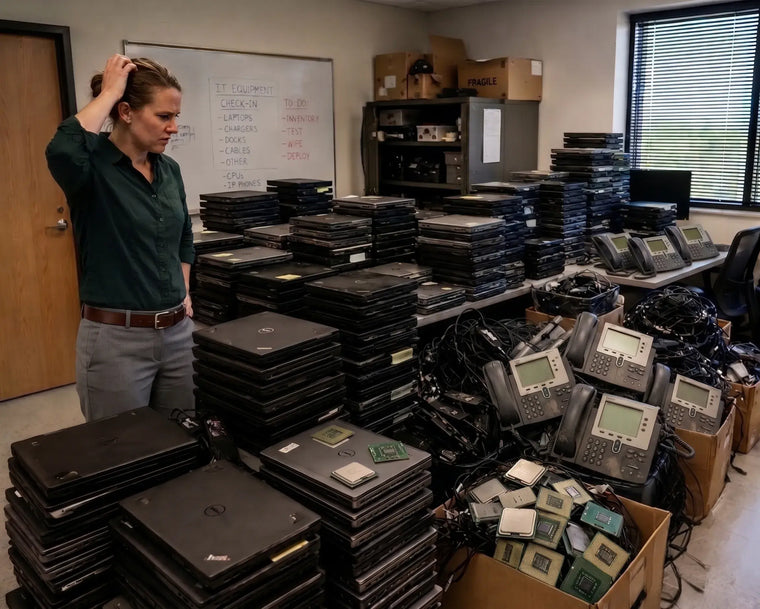
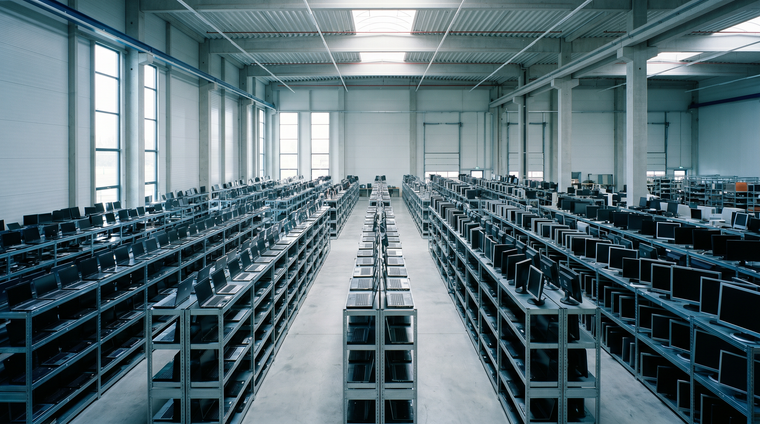
What Really Happens To Your Data When You Sell Old IT Equipment

It is the first question almost every IT manager asks us. It should be.
Value Is The Second Question. Data Is Always The First.
When a business decides to sell redundant IT equipment, the conversation rarely starts with money.
It starts with a much more important question: what happens to everything stored on it?
That instinct is correct. A decommissioned server is not just metal and silicon. It is a container for customer records, employee data, financial information, email archives, credentials and intellectual property. The hardware may be obsolete. The data on it almost never is.
Yet data destruction remains one of the least understood parts of IT asset disposal. Businesses are told their equipment will be "wiped" or "securely handled" without ever being shown what that actually means, who does it, or what proof they will receive afterwards.
This article explains exactly that.
The Risk Is Not Theoretical
Under UK GDPR and the Data Protection Act 2018, your organisation remains the data controller for personal data right up until it is verifiably destroyed. Handing a stack of laptops to a third party does not transfer that responsibility. If those devices resurface with recoverable data on them, the accountability sits with you, not with whoever collected them.
The Information Commissioner's Office has the power to issue substantial fines for failures of this kind, and enforcement action is a matter of public record. For most organisations, the reputational damage of a disposal-related breach is considerably worse than the fine.
The uncomfortable reality is that most disposal-related data incidents are not sophisticated attacks. They are ordinary mistakes: a drive that was never wiped, an asset that was never logged, a device that walked out of a store room years before anyone noticed.
Data Hides In More Places Than You Think
Most organisations focus on laptops and servers. Those are the obvious candidates. But confidential information routinely survives in equipment nobody thinks to check.
- Firewalls, routers and switches - configuration files, VPN settings, administrator credentials, pre-shared keys and network topology. Arguably the most dangerous category, and the most frequently overlooked.
- IP phones and phone systems - internal directories, call logs, voicemail recordings and extension mappings.
- Multifunction printers and copiers - internal drives holding scanned and printed documents, sometimes going back years.
- SAN and NAS arrays - production data, often unencrypted at rest on older systems.
- Backup tapes and external drives - complete historical snapshots of your estate.
- Server RAID controllers - cached data and configuration held on the controller itself.
- Laptops and workstations - local caches, offline mail files and saved credentials, even where staff were told to store nothing locally.
A disposal process that only addresses obvious storage devices leaves gaps. A proper one starts with an audit of every asset leaving the building.
Wiping, Degaussing And Shredding: What Actually Applies
There is no single correct method. The right approach depends on the media type, its condition and your own risk appetite.
| Method | How It Works | Best For | Equipment Reusable? |
|---|---|---|---|
| Software erasure | Overwrites every accessible sector to a recognised standard and verifies the result | Working HDDs and SSDs where resale value is being recovered | Yes |
| Cryptographic erase | Destroys the encryption key on a self-encrypting drive, rendering data unreadable | Modern SEDs and enterprise SSDs | Yes |
| Degaussing | Applies a strong magnetic field to disrupt the magnetic domains | Magnetic media and tape only | No |
| Physical destruction | Shredding, crushing or disintegration of the media | Failed drives, highest-sensitivity data, regulated environments | No |
Two points are worth understanding clearly.
Degaussing does not work on SSDs. Solid state drives store data in flash memory, not magnetically. A degausser will do nothing useful to an SSD. If a supplier offers degaussing as a blanket solution for a mixed estate, that is a meaningful signal about their technical depth.
A quick format is not erasure. Formatting a drive removes the file index, not the underlying data. Freely available recovery tools will restore a great deal of it. The same applies to deleting files, emptying the recycle bin and restoring a device to factory settings.
Why Destruction And Value Recovery Are Not In Conflict
A common assumption is that securing your data means destroying the hardware, and destroying the hardware means writing off its value.
That is only true for the media itself, and often not even then.
Where drives are shredded, the rest of the system remains entirely sellable. The processors, memory, GPUs, chassis, power supplies, controllers and networking equipment inside a decommissioned server carry no user data and retain their full market value. Removing and destroying the storage does not diminish the enterprise processors or the ECC memory sitting alongside them.
Where drives can be securely erased and verified rather than destroyed, they retain resale value too.
In practice, the right partner will recommend the method that meets your risk requirement at the lowest cost to your recovery. Those two objectives usually align far better than people expect.
What Your Certificate Of Destruction Should Contain
A certificate is only as good as the detail on it. "All equipment securely destroyed" on headed paper proves very little.
A credible certificate should identify:
- Every device by serial number, not just a total count
- The make, model and media type of each item
- The destruction method applied to each item
- The standard the method was performed to
- The date and location the work was carried out
- The name of the operator or technician responsible
- A named, signed authorisation from the processing company
Serial-level reporting is the part that matters most. It is what allows you to reconcile the certificate against your own asset register and prove, item by item, that nothing went missing between your loading bay and final processing.
Keep these records. If you are ever asked to demonstrate compliance, they are the evidence.
Chain Of Custody: The Gap Most Processes Miss
Data destruction gets the attention. The journey beforehand often does not.
The window between equipment leaving your building and arriving at a processing facility is where assets are most commonly lost. Not through theft, usually, but through poor documentation. Nobody counted what went on the vehicle. Nobody signed for what came off it. Six weeks later, the numbers do not reconcile and nobody can say why.
A sound chain of custody means the equipment is logged before collection, signed for at handover, tracked in transit, and reconciled on arrival against the original list. Any discrepancy is raised immediately, while it can still be resolved.
Ask any prospective partner to describe their chain of custody process. A good one will answer without hesitation.
Questions Worth Asking Any IT Disposal Partner
Before you release a single device, it is reasonable to ask:
- Where will my equipment physically be processed, and is that facility yours?
- Is any part of the process subcontracted, and to whom?
- What erasure standard do you work to, and how is it verified?
- Will I receive serial-level reporting?
- How do you handle drives that fail to erase?
- What happens to equipment that cannot be economically refurbished?
- How is my chain of custody documented?
Any supplier unwilling to answer these plainly is telling you something useful.
How We Approach It At Voice & Data Resale
Our position is straightforward. Recovering value from redundant IT should never come at the expense of protecting the information on it.
We operate ISO 27001 certified information security management, alongside ISO 9001 quality management and ISO 14001 environmental management, and we are Cyber Essentials certified and ICO registered.
Every project begins with an assessment of what is being released and what it might contain. Where secure data destruction is required, it forms part of the process rather than an afterthought, and the appropriate method is matched to the media and to your risk requirement. Collection is arranged with secure handling throughout. Equipment with useful life remaining is professionally refurbished and returned to the market. Only what genuinely cannot be recovered is responsibly recycled.
The result is a single process that protects your data, satisfies your compliance obligations and returns value to your budget.
Maximise Value. Minimise Waste.
Frequently Asked Questions
Do I need to wipe devices before you collect them?
You do not have to, though you are welcome to. Many organisations prefer to run their own erasure first and treat ours as a second layer. Tell us what you have already done and we will work around it.
Can you destroy drives on site?
For organisations whose policy prevents data-bearing media leaving the premises, on-site options can be discussed as part of your project. Let us know your requirement when you enquire.
What if a drive is faulty and cannot be erased?
Drives that fail verification are physically destroyed rather than passed on. A drive that cannot be proven clean is never resold.
Do you provide documentation for our auditors?
Yes. Where secure data destruction forms part of your project, appropriate documentation is provided for your compliance records.
Does destroying the drives reduce what I get paid?
Only by the value of the drives themselves. Processors, memory, GPUs, networking equipment and chassis are unaffected, and in most estates that is where the majority of the value sits.
Do you cover the whole of the UK?
Yes. We work with businesses across the UK and can arrange secure collection for qualifying equipment.
Handle The Data. Recover The Value.
Protecting your information and recovering your investment are not competing priorities. Handled properly, they are the same project.
If your organisation is retiring servers, laptops, Apple devices, Cisco networking equipment, firewalls, storage systems or phone systems, we would be glad to help you do both.
Complete our online quotation request and tell us what you have. We will handle the rest.
Maximise Value. Minimise Waste.
Got equipment to sell?
Turn the hardware you just read about into cash - free valuation, free collection, same-day payment.
Get a Free ValuationSend us a message
We reply by email, usually within a few working hours.
Message sent
We have it, and we will reply to your email address shortly.
- Choosing a selection results in a full page refresh.
- Opens in a new window.