

Your cart
Your cart is empty
Welcome to VDR's latest news & guides
Expert guides on selling used IT and telecoms equipment, buying certified refurbished hardware, WEEE recycling and secure data centre decommissioning - insights from the UK's IT asset recovery specialists.



Selling Business Laptops In The UK: What Your Old Fleet Is Really Worth

The average business laptop refresh leaves more money in the cupboard than most IT managers realise.
Every Refresh Creates Two Projects
There is the one everybody plans: specify, procure, image, deploy, support.
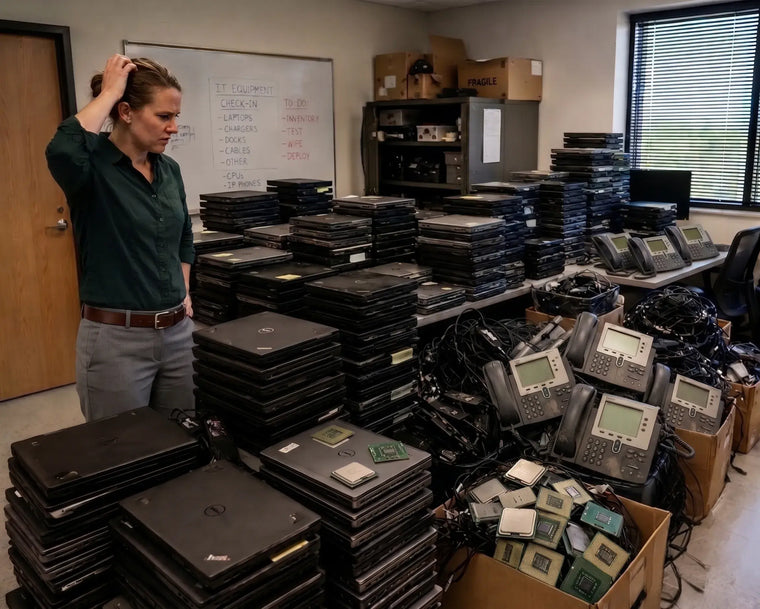
Then there is the one nobody owns. The old machines come off desks, go into boxes, and the boxes go into a store room. The project is finished, as far as anyone is concerned.
Except those laptops were bought as assets, they still have a market, and from the day they come off the desk they start losing value.
Business laptops are the single most common category of redundant IT in the UK, and the most consistently underestimated. A three-year-old business-grade machine with a working screen and battery is not scrap. It is stock that somebody else wants.
What We Buy
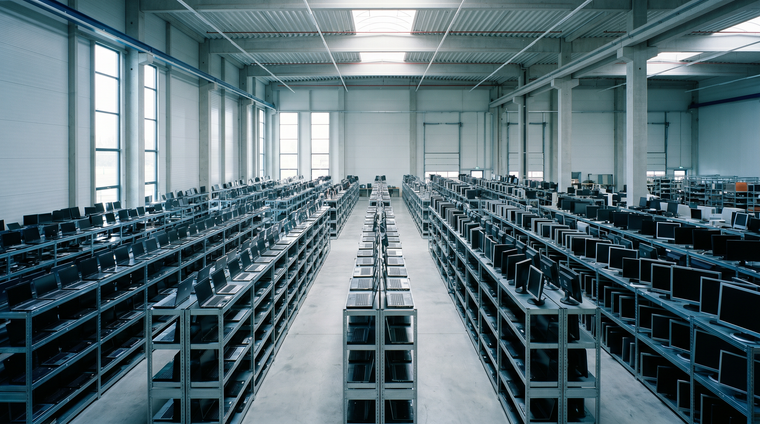
We purchase business laptops across the UK, from single units to full fleet refreshes.
- Dell - Latitude, Precision, XPS
- HP - EliteBook, ProBook, ZBook
- Lenovo - ThinkPad, ThinkBook
- Microsoft - Surface Laptop, Surface Pro, Surface Book
- Apple - MacBook Pro and MacBook Air, covered in more detail in our guide to selling business Apple equipment
- Other brands - Acer, ASUS, Fujitsu, Toshiba, Panasonic Toughbook and more
Working, faulty, damaged and incomplete machines are all worth listing. So are docking stations, chargers and monitors in volume, which are easy to forget and add up across a fleet.
Business Laptops Hold Value. Consumer Ones Largely Do Not.
This distinction matters more than age.
Business-grade ranges - Latitude, EliteBook, ThinkPad - are built to different standards from high-street consumer models. Metal or reinforced chassis, better keyboards, serviceable parts, longer driver and firmware support, and standardised docking. They are designed to survive several years of daily use and to be repaired rather than replaced.
The second-hand market knows this. A five-year-old ThinkPad in reasonable condition is a genuinely desirable machine. A five-year-old budget consumer laptop with a plastic chassis and a soldered 4GB of memory is not, whatever it originally cost.
So do not judge your fleet by age alone. Judge it by what it was built for.
What Determines The Offer
| Factor | Effect On Value |
|---|---|
| Processor generation | The primary driver. Recent Intel Core and AMD Ryzen generations command the strongest prices |
| Memory and storage | 16GB and an SSD is the practical baseline for resale. 8GB with a mechanical drive is much weaker |
| Screen condition | Assessed closely. Cracks, dead pixels and delamination all reduce the offer |
| Battery health | A swollen battery is a safety issue - flag it rather than shipping it unmentioned |
| Chassis condition | Business machines tolerate wear well, but hinge damage and cracked casing matter |
| Asset tags and engraving | Removable stickers are fine. Deep engraving reduces value |
| Quantity and consistency | Matched fleets are worth more per unit than assorted mixed models |
| Chargers and docks | Include them. Matching chargers noticeably improve a fleet offer |
The Cost Of Waiting
This is the part that quietly costs organisations the most.
Laptops depreciate on a steep and predictable curve. A machine held for twelve months after it leaves service loses a substantial share of its value, and it does so while occupying space, sitting on your asset register and remaining your responsibility from a data protection point of view.
Waiting achieves nothing. There is no point in the cycle at which a redundant business laptop becomes worth more than it is today. The market moves in one direction, and processor generations keep arriving.
The best time to release a fleet is the moment its replacement is deployed. The second best time is now.
Data: What To Do Before They Leave
Every laptop leaving your organisation is a data-bearing device, regardless of what staff were told about saving to the network.
Local caches, offline mail files, downloaded attachments, browser-saved credentials and cached credentials all persist on the drive. A user who "never saved anything locally" will usually still have several years of material in a profile folder.
Before release:
- Remove the device from your MDM or domain so it does not attempt to re-enrol
- Sign out of any accounts tied to the machine or its BIOS
- Clear BIOS and supervisor passwords. A locked BIOS significantly reduces value and sometimes prevents resale entirely - this is the laptop equivalent of Activation Lock
- Record the serial numbers before the machines leave the building
- Decide your erasure standard - certified wipe with verification, or physical destruction of the drive
Where you would rather we handled erasure, that forms part of the process and is documented at serial level. We operate ISO 27001 certified information security management and are Cyber Essentials certified, and our guide to what really happens to your data explains the methods in detail.
Faulty Laptops Are Still Worth Listing
A laptop that will not power on is not automatically worthless.
Screens, keyboards, palm rests, hinges, batteries, chargers, memory and drives are all recoverable and in demand as spares. A machine with a failed motherboard can still yield several saleable components, and a fleet of otherwise identical faulty units is particularly useful for parts matching.
List faulty machines separately, describe the fault where you know it, and let them be assessed rather than assumed worthless. Anything genuinely beyond recovery is responsibly recycled.
How To Prepare Your List
Most organisations can produce this from their asset register or MDM export in a few minutes.
For each machine, or for each group of identical machines:
- Make and full model - "Latitude 5420", not "Dell laptop"
- Processor, memory and storage
- Quantity
- Condition - working, faulty with description, or untested
- Whether chargers and docks are included
- Any BIOS locks or engraving
A spreadsheet is ideal. Photographs of a representative machine and its service tag help where models are unclear.
Fleet Refreshes, Office Moves And Leavers
Three situations produce most of the laptops we buy.
Planned refreshes. The cleanest scenario. Aligning collection with deployment means machines never enter storage and never lose value sitting still.
Office moves and downsizing. Relocations surface equipment nobody knew existed - store rooms, spare desks, unopened boxes. Audit before you move it, not after.
Accumulated leaver devices. Machines returned by departing staff pile up quietly, one at a time, until a cupboard is full. Clear them periodically rather than annually.
Selling Your Laptops To Voice & Data Resale
We buy business laptops from organisations across the UK - businesses, schools, universities, charities and public sector bodies. Free collection nationwide, secure data destruction where required, and a firm offer before anything is committed.
Machines with life remaining are tested, repaired where needed, professionally refurbished and returned to the market, where they go on to serve organisations and individuals at a fraction of the cost of new. Only what genuinely cannot be recovered is responsibly recycled.
Maximise Value. Minimise Waste.
Frequently Asked Questions
Do you buy laptops that will not switch on?
Yes. Describe the fault if you know it. Faulty machines still contain recoverable components.
How old is too old?
There is no fixed cut-off. Processor generation and build grade matter more than age - a well-specified business machine several years old can be worth more than a newer consumer one. Send the list and let it be assessed.
Do we need to wipe them first?
Not necessarily. Many organisations run their own erasure and treat ours as a second layer. Tell us what you have already done.
What about BIOS passwords?
Clear them before collection wherever possible. A locked BIOS can prevent testing and refurbishment entirely, which significantly affects value.
Do you take chargers, docks and monitors?
Yes, particularly in volume. Include them in your list.
Is there a minimum?
We are generally looking at enquiries with an estimated value of around £1,000 or more, though every enquiry is assessed on its merits.
Can you collect from several sites?
Yes. Multi-site collections are routine on fleet refreshes and can be run as a single project.
Find Out What Your Fleet Is Worth
If there is a cupboard, a store room or a stack of boxes holding laptops your organisation has finished with, it is worth knowing the number before another year passes.
Send us your list through our online quotation request. It costs nothing to ask, and the answer is usually higher than people expect.
Maximise Value. Minimise Waste.
Got equipment to sell?
Turn the hardware you just read about into cash - free valuation, free collection, same-day payment.
Get a Free ValuationSend us a message
We reply by email, usually within a few working hours.
Message sent
We have it, and we will reply to your email address shortly.
- Choosing a selection results in a full page refresh.
- Opens in a new window.